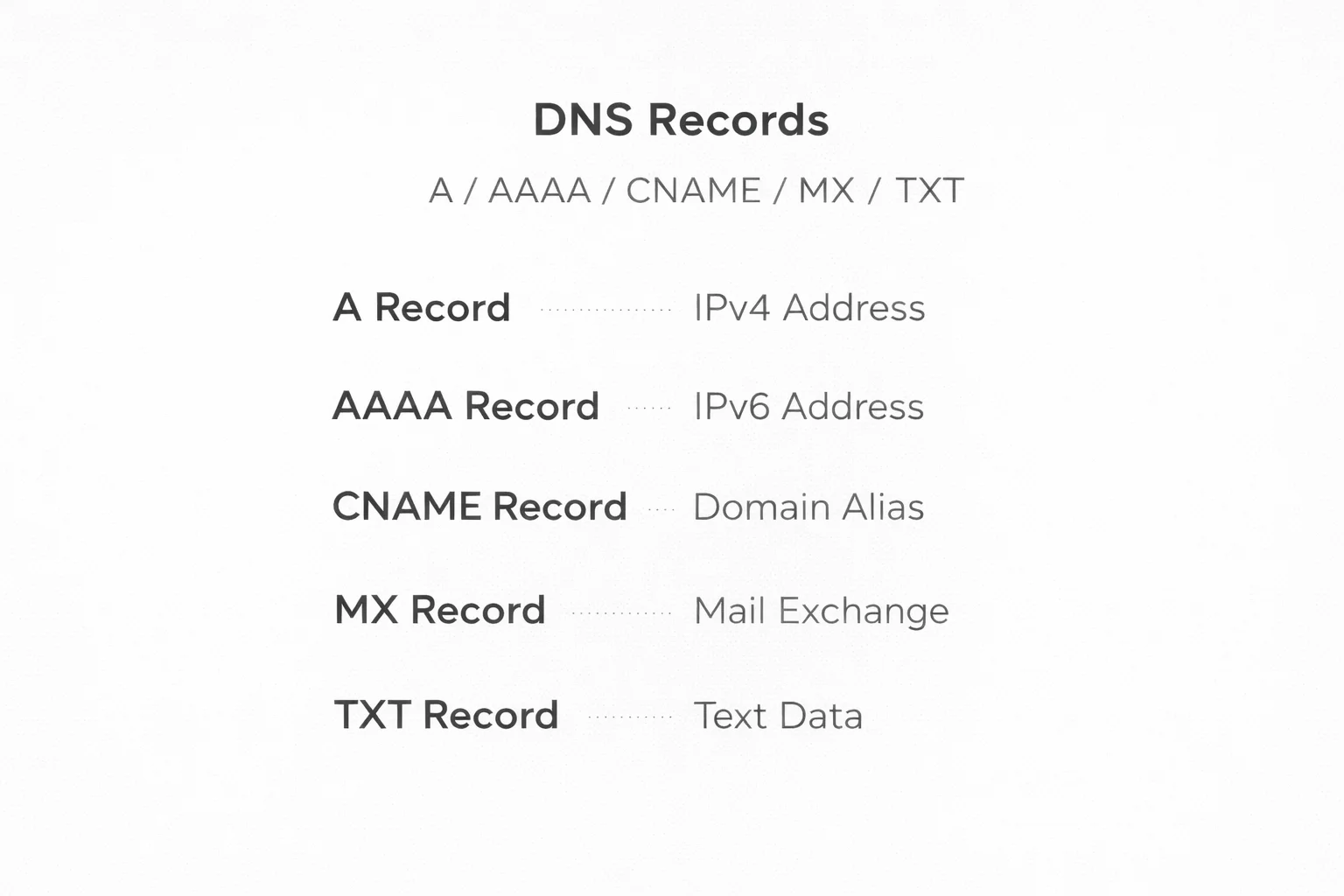
A/AAAA/CNAME/MX/TXT DNS records: what they are and how to configure them painlessly
DNS is like the Internet phone book. People remember names (example.com) and servers work with addresses (IP). And so DNS deals with a seemingly simple but critically important task: translates the domain into specific “where to go” — which server to give the site to, where to deliver mail, which security policies to apply, how to check the signature of the letter, whether to allow sending from the domain, etc.
In short: DNS records are routing rules for the domain. Incorrectly configured records give classic symptoms: the site "doesn't open", mail "doesn't arrive", services "do not confirm the domain", and users see either the old version of the site or the new one. And the main thing is that it is often not a server bug, but a banal error in the zone.
Below we will analyze A, AAAA, CNAME, MX, TXT: what they mean, where they are put, how they interact, and how to make settings so that you do not have to deal with problems with mail delivery and site indexing later. If you plan to buy a domain, connect reliable hosting, or raise the project to VPS/dedicated server, these basics are mandatory.
Before creating records, let's understand what zone, host, TTL, and "propagation" are
Domain, zone and hosts
-
Domain:
example.com -
Host/subdomain:
www.example.com,api.example.com,mail.example.com -
DNS zone: a set of all rules (records) for a domain.
Most panels show the “Name/Host” field is the left side (eg www) and the “Value/Target” field is the right part (IP or destination domain).
TTL (Time To Live)
TTL is the DNS response caching time on resolvers (ISPs, corporate DNS, your browser partially, etc.).
-
We set the TTL to 3600 — that means “keep this value for an hour.”
-
For migrations, it is convenient to temporarily lower the TTL (for example, 300 seconds) so that the changes “distribute” faster.
DNS promotion
The fact that you changed an entry in the panel does not mean that the whole Internet has already seen the new value. Some caches will hold the old value until the TTL expires. Therefore, "it already works for me, but not for a friend" is an absolutely normal situation.
A-record: “dominates” the world of IPv4
What is A
A (Address) record indicates: "this domain/subdomain corresponds to an IPv4 address".
Example:
-
example.com→203.0.113.10 -
www.example.com→203.0.113.10
When used
-
Connecting the site to the server (shared hosting, VPS, dedicated).
-
Connection
api,cdn,panel,appto individual IPs.
Typical script for the site
They often do this:
-
@(or empty name) — A on server IP -
www— either A to the same IP or CNAME to@(more on that below)
Example in the panel:
-
Type: A
Name:@
Value:203.0.113.10
TTL:3600 -
Type: A
Name:www
Value:203.0.113.10
TTL:3600
Typical errors
-
Forgot
www:example.comopens andwww.example.comis not (or vice versa). -
Specified an internal IP type
192.168.x.x- it doesn't work from the outside. -
They left the old A after the migration — some people end up on the old server.
AAAA record: same but for IPv6
What is AAAA
AAAA record points the domain to IPv6 address.
Example:example.com → 2001:db8::10
Should AAAA be set to all?
If your server/hosting is really configured for IPv6 (webserver listens to IPv6, firewall allows, routes are available), then AAAA is a plus: modern networks can use IPv6 faster/more stably.
But if you put AAAA "just like that" and the IPv6 server does not work, you will get a strange bug: the site does not open for some users, because their providers prefer IPv6.
Practical advice
-
If you are not sure - it is better not to put AAAA than to put the wrong one.
-
If there is a reliable hosting/VPS with full IPv6 support, then install and test.
CNAME: “nickname” for another domain
What is a CNAME
CNAME (Canonical Name) says: "this host is an alias of another domain".
Example:
-
www.example.com→example.com -
shop.example.com→shops.platform.com -
verify.example.com→some-verification.service.com
It is important here: CNAME does not point to IP directly, it points to another name, and there DNS will route the IP through A/AAAA.
When CNAME is perfect
-
For
www(very common case). -
For connecting third-party services: CDN, CRM, email providers, payment widgets, constructors, etc.
-
To verify the domain in the services: the CNAME is often given.
Main CNAME rule
The same name cannot have CNAME and other records.
That is, if www is a CNAME, then for www must not be A/AAAA/TXT/MX at the same time.
About “domain root” (@) and CNAME
Many DNS providers do not allow CNAMEs on @ (apex). The reason is simple: NS/SOA and other system records are also required at the root of the domain, and CNAME conflicts with the "single record" concept.
Sometimes ISPs offer “ALIAS/ANAME” which is their trick that behaves like a CNAME for the root but is technically implemented differently. If you have ALIAS/ANAME in your panel - ok, but this is not a standard DNS type, but a provider implementation.
MX: where to deliver mail for the domain
What is MX
MX (Mail Exchange) specifies which servers accept mail for the domain.
Example:
-
example.com→mail.example.com(priority 10) -
example.com→backup.mail.example.com(priority 20)
The lower priority number, the higher priority.
Two popular scenarios
Scenario A: Mail on your server
-
Put A/AAAA for
mail:-
mail.example.com→ Server IP
-
-
Set the MX for the domain:
-
MX
@→mail.example.compriority 10
-
Scenario B: Mail on Google Workspace / Microsoft 365 / providers
Then the provider gives a list of MX records (several pieces). You are completely replacing the current MXs with their values.
Typical mistakes with MX
MX pointed to IP - according to the standard MX should point to domain, not IP.
A/AAAA not created for mail host if MX points to mail.example.com.
Left the old MX together with the new ones - you will get a delivery mess: some of the letters will go to the wrong place.
Incorrect prioritization - backup with a lower number than primary.
TXT: universal “container” for policies and confirmations
What is TXT
TXT record is a text field where services put settings and proof of domain ownership.
TXT is most often used for:
-
SPF - the policy of who has the right to send mail from the domain
-
DKIM — public key for signature verification
-
DMARC — rules for handling emails that have not passed SPF/DKIM
-
Domain verifications (Google, Meta, Stripe, Cloudflare, etc.)
-
Sometimes — settings for various services (for example,
google-site-verification=...)
SPF (TXT)
SPF looks like this:
-
Name:
@ -
Value:
v=spf1 include:_spf.google.com ~all
If mail is coming from your VPS:
-
v=spf1 ip4:203.0.113.10 -all
DKIM (TXT)
DKIM is usually created on a subdomain of the form:
-
selector._domainkey.example.com
For example:
-
Name:
email._domainkey -
Value:
v=DKIM1; k=rsa; p=...
selector is the “name of the key” (you set it in the mail system or it is given by the provider).
DMARC (TXT)
DMARC is also TXT, but on a fixed name:
-
Name:
_dmarc -
Value:
v=DMARC1; p=quarantine; rua=mailto:dmarc@example.com; adkim=s; aspf=s
DMARC is very disciplined about the domain: it tells the recipient what to do if the email doesn't pass the checks. This is critical for business because it affects delivery to Inbox vs Spam.
Typical errors with TXT
Two SPF records in the same domain - this is not possible. SPF must be one (rules can be combined into one line).
Incorrect syntax (spaces, quotation marks, line breaks). Most panels themselves "cut" long values - this is normal, but not everywhere.
DKIM was written to the wrong name (confuse selector or _domainkey).
Too strict DMARC policy immediately (p=reject), when SPF/DKIM is not yet in order — and you yourself will start to "cut off" your own mailing
Practical configuration examples: site + mail + basic security
Example 1: Site on VPS/hosting, mail via a third-party service
You want: the site on the server, and the mail - conditionally Google Workspace.
DNS:
-
@— A → Server IP -
www— CNAME →@(or A on IP) -
MX - Google records (completely replace with their list)
-
TXT SPF — include Google
-
DKIM/DMARC - as provided by the mail provider
Here is an important nuance: MX does not affect the site, it is only mail. People are often afraid of "change the MX — and the site will crash." No, the site lives at A/AAAA/CNAME.
Example 2: Both the site and mail on the same server
-
@— A → IP -
www— A or CNAME -
mail— A → IP -
MX
@→mail.example.compriority 10 -
TXT SPF —
ip4:... -all -
DKIM is TXT on
selector._domainkey -
DMARC — TXT on
_dmarc
This scenario is often chosen when taking a VPS or dedicated server and want full control. In practice, this gives flexibility, but also responsibility: it is necessary to configure SPF/DKIM/DMARC, PTR/rDNS, TLS correctly, otherwise the delivery may be stormy.
Checklist: how to get DNS right the first time
Here is a quick “note” that will save hours of time:
Site:
-
There is A (and AAAA only if IPv6 actually works)
-
There is a record for
www(A or CNAME) -
TTL is adequate (during migration 300–600, then 3600+)
Mail:
-
MX points to domain names, not IP
-
If the MX points to
mail.example.com-mailis A/AAAA -
Old MXs are deleted if you switch to a new provider
TXT policies:
-
SPF is equal to one
-
DKIM on correct selector
selector._domainkey -
DMARC start with
p=none, then escalate (quarantine/reject) when confident
Typical conflicts:
-
Do not mix CNAME with A/TXT/MX on the same name
-
Do not put AAAA if IPv6 is not ready
-
Make sure the panel doesn't add “.example.com” automatically (some panels ask for the full domain, some just the host)
DNS is an invisible thing, but it either works like clockwork or eats nerves. When you have reliable hosting or fast VPS with a normal DNS control panel, half of the typical problems simply do not occur: records are created correctly, TTL is controlled, there are hints on SPF/DKIM, and migrations are carried out without "mail does not work for two days".
If you are at the stage of "I want to buy a domain and connect a hosting/virtual server", do not skimp on basic things: DNS, mail and correct records are the foundation on which the site, mail delivery, and domain reputation rest.
