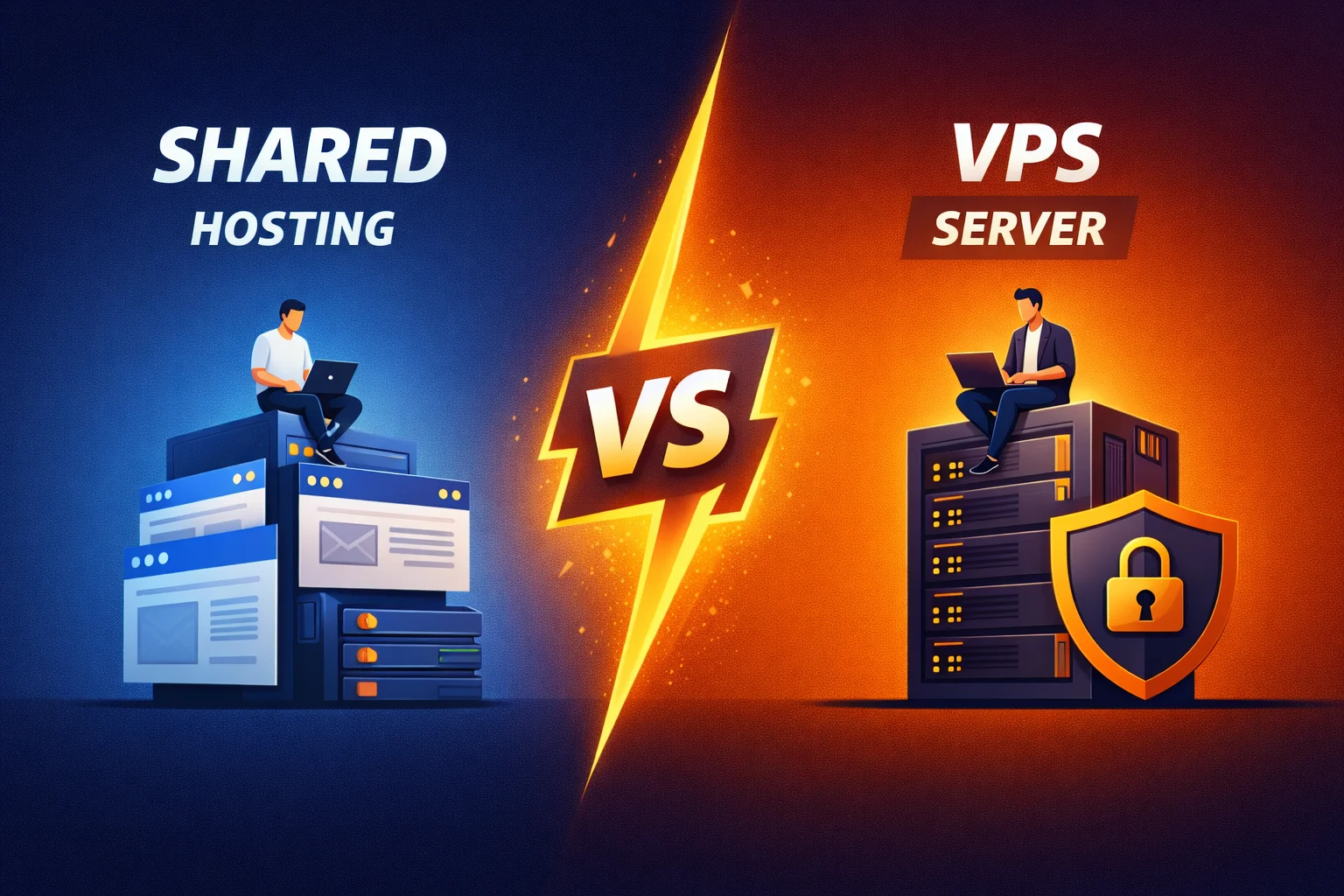
Comparison of shared hosting and VPS: when shared is enough and when VPS is better
There are two extremes that I see all the time. The first is that a person takes a VPS "because it is more reliable", and then finds out that no one needs to maintain the server, update the stack, monitor security and backups, and the project does not actually need these resources. The second is the owner of a business website who sits on the cheapest shared hosting for years, endures crashes, "502", slow admin section and unstable peaks, and then wonders why SEO is sagging and advertising is more expensive.
The truth, as always, lies in the middle: shared hosting can be ideal if it is chosen correctly and the project meets its capabilities. And VPS can be the best investment in terms of stability and speed if you are really pushing the limits of the "shared" or want control and scaling.
I am writing this as a person who has developed, transferred, and "treated" dozens of projects: from WordPress blogs to Laravel stores, and who simultaneously looks at everything through the eyes of SEO (Core Web Vitals, TTFB, stability, indexing, crawling, conversions). Let's calmly and practically break down: when shared is enough, and when VPS is better. At the end, I will give a clear checklist, according to which you can make a decision without "faith in power".
What is shared hosting in simple words
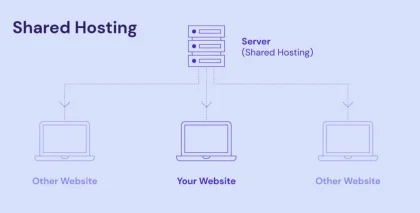
Shared hosting (virtual hosting) is when many sites of different clients live on one physical server, and access to the system and resources is organized through a panel and restriction policies. You get a ready-made environment: web server, PHP, database, mail, backups (sometimes), SSL, control panel. You don't need to think about "hardware" and the OS — you work as a service.
Key: you share resources with your neighbors. The provider can do the isolation well (CPU/RAM limits, cagefs/containers, limits on processes, I/O), or can do "just in case". This is where the difference between high-quality shared and "cheap and angry" is born.
What is VPS without myths
VPS (Virtual Private Server) is a virtual machine with dedicated (or guaranteed) resources within a physical server. You have your OS, your stack, your settings. You do not share PHP processes with other clients. You still share physical iron with your neighbors, but the level of isolation and predictability is much higher.
Key: you get control, but also responsibility. If you have no one to administer your server, then "VPS = freedom" easily turns into "VPS = endless small tasks".
The main difference: not “power”, but predictability
People often imagine that shared is "weak", VPS is "strong". In fact, something else is more important:
- Shared: environment "as a service", but resources can "float" through neighbors and provider policies.
- VPS: you have more predictable resources, control of configs, logs, caches, security rules, but you have to manage it.
This leads to the main question: do you need simplicity or control? And what is more important for your site: "to work without extra thoughts" or "to be able to adjust everything to my liking and sustain the load".

When shared hosting is really enough
I don't like when shared hosting is presented as "for beginners" or "for small sites". This is not so. I've seen a shared that works great, and I've seen a VPS that was set up so badly that the site was slower than a normal "shared".
Here are situations where shared is a normal and rational choice.
1) Business card site, landing page, portfolio, small corporate site
If you have 5-30 pages, an application form, a map, a few photos - shared covers the needs. Most often, the bottleneck here is not the server, but heavy images, fonts, crooked scripts and lack of caching.
2) WordPress blog with moderate traffic
WordPress can be light or heavy depending on the theme, plugins and whether or not there is a cache. If you have an adequate theme, a minimum of plugins, the page cache is enabled, optimized images — shared can pull quite decent volumes.
3) Site on CMS, which "does not fit" into system settings
Many CMS do not need exotics: standard PHP, MySQL, normal limits - and off we go. Shared here works like a "household appliance": turn it on and use it.
4) Project without sharp peaks and without complex background tasks
If you don't have imports for 200,000 positions, queues, heavy cron jobs, thousands of PDF generation, video processing, parsing — shared is convenient and cheaper.
5) When you need “ready-made items” from the provider
Mail, SSL, backups, panel, fast PHP updates, auto-installers, protection against basic attacks, support - these are the things that are usually "included" on shared. It can also be done on a VPS, but it takes time, attention and money.
When VPS gives a tangible advantage
Now - about the moments when VPS stops being a "wish" and becomes a logical step.
1) You are running into shared limits (CPU, RAM, processes, I/O)
On shared, limits often appear not as an "error", but as strange symptoms: the site is sometimes fast, sometimes slow; the administrator "thinks"; imports fall; cron can't keep up. On a VPS, you can allocate enough resources and manage them.
I/O (disk) and "neighbors" are especially important: if someone is doing heavy operations on the same server, your site can "float" even if you have little traffic.
2) You need specific settings: Nginx, caches, PHP-FPM, Redis, queues
There are usually restrictions on shared: you will not install Redis "as you need", you will not configure Nginx for specific patterns, you will not introduce fine control of caches and rate limiting. On VPS, this is your space.
For Laravel, for example, VPS often opens normal life with queues (Redis/RabbitMQ), with supervisor/systemd, with individual workers.
3) The project is growing and you need peak stability
Promotions, newsletters, advertising campaigns, seasonality — shared can withstand, but sometimes the lottery. VPS allows you to prepare: cache, correct timeouts, workers, resource balance.
4) Issues of security and isolation
Isolation is usually normal on a quality shared, but if you have a business with sensitive data, your own integrations, APIs, personal accounts, important SLAs, VPS often looks calmer. You control updates, firewall, access, logging, policies.
5) You need "your" deployment architecture
CI/CD, staging, multiple environments, blue/green, separate services — on shared it is either impossible or inconvenient. VPS allows you to organize processes "in an adult way".
Speed and SEO: where shared can be the norm, and where VPS helps
From the point of view of SEO, I am not interested in "gigahertz", but specific indicators:
- TTFB (time to first byte)
- response stability (no 5xx and “failures”)
- Core Web Vitals (LCP/INP/CLS) is partly the front, but the server also affects
- crawling speed and the absence of "strangled" bots
- predictability under peaks
When shared does not interfere with SEO
If the site is cached (page cache), if you have an optimized base, no heavy requests, normal images and a CDN for statics, shared can give very decent metrics. To be honest, for many sites, the "bottleneck" is the front end, not the server.
When VPS raises SEO not “theoretically”, but practically
- when you stabilize TTFB (less “floating” from neighbors),
- when you can fine-tune caching (Nginx fastcgi_cache, Redis object cache, header cache),
- when you can set rate limiting for bots/spam and not "kill" the server,
- when you can queue heavy tasks instead of executing them in a request,
- when on shared you are limited by timeouts/processes and the site sometimes gives 500/502.
For SEO, a psychological point is very important: stability. If the site rarely, but regularly falls off, it is a blow to both indexing and conversion.
Administration: The main hidden price of VPS
This is where many people "burn out". VPS itself is not a magic pill. It is necessary:
- update the OS and packages,
- set up firewall,
- follow the logs,
- make backups (and check recovery),
- set up monitoring,
- monitor disk, database, queues,
- customize mail (or outsource to third-party services),
- think about attacks.
If you do not have an administrator and do not want to be one, then either:
- take VPS with admin support (managed), or
- stay on quality shared, or
- use control panel on VPS (but still keep updates and security).
Typical scenarios: what to choose in real cases
Case 1: Small service site + advertising
If the ad leads to 1-5 pages, the traffic is equal, the form is simple — shared is enough. I would invest in fast images, normal theme, cache, CDN. VPS makes sense if the site lags or 5xx pops up during campaigns.
Case 2: Online store on CMS (WooCommerce / OpenCart / PrestaShop)
If there are few products, low traffic, adequate plugins - high-quality shared can live. But stores often grow in width: filters, integrations, imports, search, personal prices. Here, VPS becomes a very logical step, because you can manage cache, database, workers, cron.
Case 3: Laravel project with queues and cron
Here I almost always look towards VPS. Laravel on shared can work, but as soon as queues, workers, horizon, supervisor, Redis, scheduler appear - VPS becomes a natural environment.
Case 4: Media site/news with spades
Spades are about predictability. If there is a “lottery” on shared, VPS allows you to prepare: aggressive caching, proper Nginx, compression, optimal PHP-FPM, smart bot policy.
Case 5: Several sites of one business
If it's convenient for you to keep everything in one place, a VPS can host several sites with normal resources and policies. But then the issue of security and isolation becomes even more important.
A bit about dedicated servers
Dedicated server is in another league: full iron is yours. It is needed when:
- VPS has become too small,
- maximum stability is required without "common iron",
- specific requirements for disks, network, RAID, database performance,
- very high traffic or heavy calculations.
But honestly: 90% of projects do not need a "grandfather" at the start. More often, the correct path is a normal shared → VPS → (if necessary) dedicated or cluster.
How to understand that it is time to switch from shared to VPS: signals "from practice"
Here are the signs that I perceive as “bells”:
- Site occasionally gives 502/504, especially during peak times or during cron/import.
- The admin is slow and the provider says "your scripts are heavy" (and this may be true, but on a VPS you can treat it systemically).
- Requires queues, Redis, supervisor, systemd, or at least normal workers.
- You're hitting process/runtime limits and it's blocking development (import, generation, mailings).
- TTFB “floats”: sometimes 100–200 ms, sometimes 1–2 seconds for no apparent reason.
- Security and control are becoming more important: access, logging, policies, firewall.
- Needs custom config Nginx/Apache or specific modules.
Common mistakes when choosing a VPS (and how to avoid them)
Mistake 1: buy too small a VPS “for trial”
Then the person gets disappointed: “VPS is slow”. And it is not slow - just 1 core and 1 GB of RAM for a heavy store or Laravel with queues is not enough. It is important for VPS to adequately estimate resources.
Mistake 2: move the site to a VPS and do not configure anything
If you moved WordPress to a VPS, but did not configure cache, did not optimize PHP-FPM, did not enable correct cache headers, did not set normal swap/limits - you will not feel "wow". VPS is revealed through configuration.
Mistake 3: forgetting about backups
Shared often has at least some backups "out of the box". On a VPS, this is your area of responsibility. And the most frequent tragedy is that there is a backup, but no one checked the restoration.
Mistake 4: mail on VPS “somehow”
Postal stories are complicated. For business, I almost always advise you to take mail to specialized services or use a provider's solution, and leave the VPS for the site/application.
A practical approach: how to make a decision without unnecessary emotions
I use simple logic:
Step 1: Estimate the complexity of the project
- Static/simple CMS — shared approx.
- Store/office/integrations/cron/queues - looking towards VPS.
Step 2: Estimate traffic and peaks
- Equal traffic — shared may be sufficient.
- Peaks/Promotions/Seasonality - VPS often gives stability.
Step 3: Assess your readiness to administer
- No admin - either managed VPS or strong shared.
- There is an admin/you are ready yourself - VPS gives more control.
Step 4: Check the real metrics
Not a "feeling", but numbers: TTFB, 5xx errors, admin response time, import load. If shared is stable and fast, there is no point in running away simply "because VPS is cooler".
A small checklist: shared or VPS specifically for your site
Shared is right for you if:
- the site is simple (business card/blog/small corporate),
- no heavy cron/queues/big data processing,
- traffic is moderate and without sharp peaks,
- you care about simplicity and out-of-the-box support
- speed rests more on the front than on the server.
VPS is better if:
- queues, workers, Redis, complex background tasks appear,
- custom settings and control are required (Nginx, cache, firewall),
- there are load peaks or an important SLA,
- are you ready to administer or take a managed VPS.
Conclusion
Shared hosting is not "bad" and not "cheap for beginners". This is a rational solution when you need simplicity, a ready-made environment and the project does not require special settings and resources. VPS is not "just more powerful". This is control, predictability and the ability to build your own architecture, but with the responsibility of support.
So as a summary, I would formulate as follows:
take shared when you want to think about the site, and not about the server; VPS when a server starts to affect your business, speed and stability, or when you need "your stack" level tools.