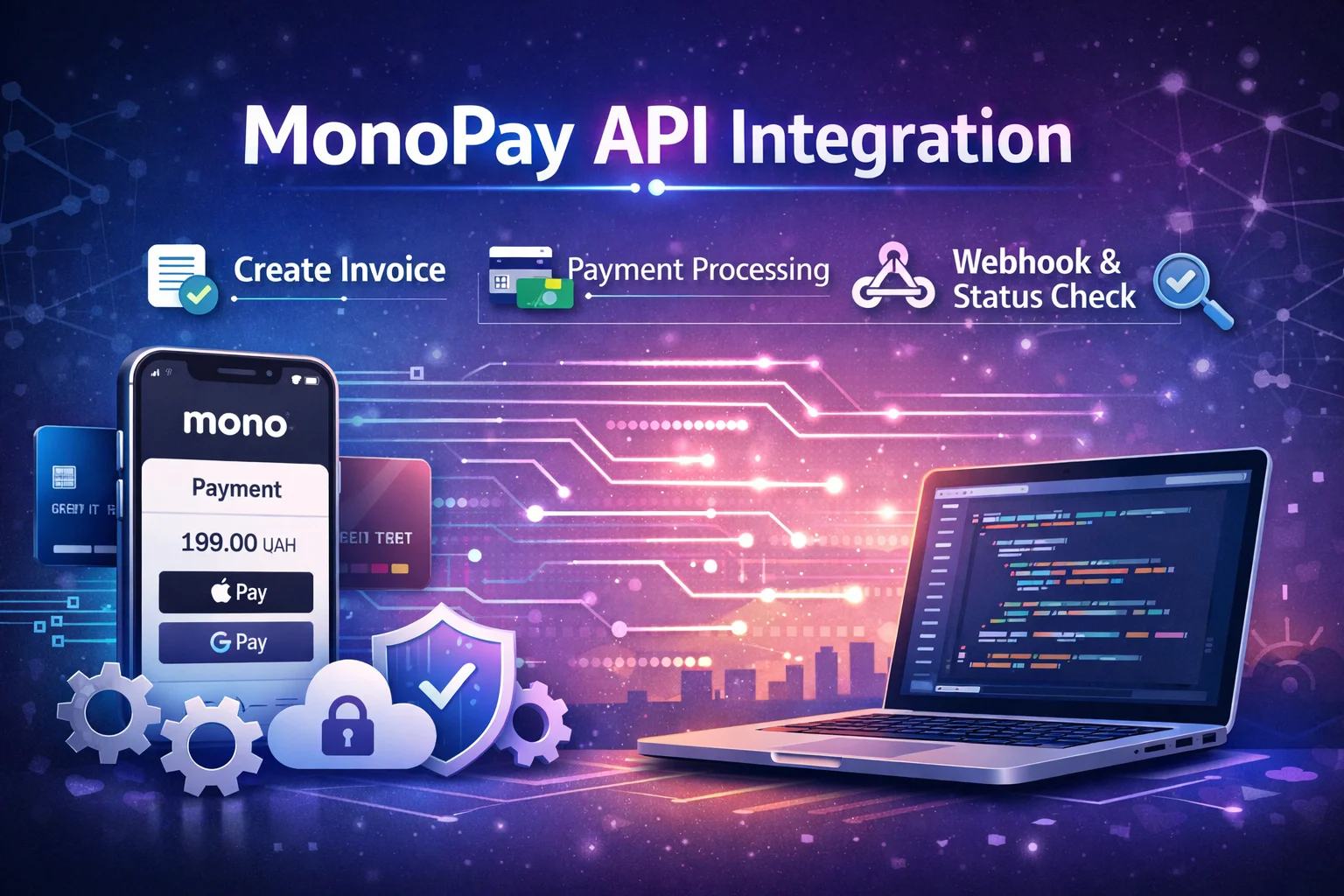
What is MonoPay / plata by mono and what does the integration look like
In short: you create an invoice on your backend via the monobank API, you receive invoiceId and pageUrl in response, you send the user to pay, and you fix the result according to the event that monobank sends to your webHookUrl. monobank itself directly recommends to consider webhook as the main mechanism for obtaining statuses, and to use the status check method only as a "plan B" in case of desynchronization.
Key connection points:
-
Connecting acquiring in the business office and receiving a token (X-Token).
-
Create invoice (
/api/merchant/invoice/create) with amount, description,redirectUrlandwebHookUrl. -
Payment on
pageUrl(card/Apple Pay/Google Pay/in-app payment - depends on scenario). -
Webhook from monobank about changing the invoice status.
-
Signature verification webhook (ECDSA, header
X-Sign). -
Confirmation in your system: you change the status of the order/subscription/account.
-
Backup check of the status (
/api/merchant/invoice/status) if needed.
Acquiring registration and connection: what to do before writing code
To connect acquiring, you need to be registered as a sole trader and have an open single sole trader account in mono.
Next is authorization in the web cabinet and filling in information about the business (type of activity, link to the site/social networks), after which you choose and connect payment instruments.
This is important: if acquiring is not connected, you simply will not have a token for the API (it "becomes available after connecting acquiring").
Acquiring documentation has clear steps for obtaining a token:
-
enter the web office;
-
go to the tab of the desired payment method and click "Configure";
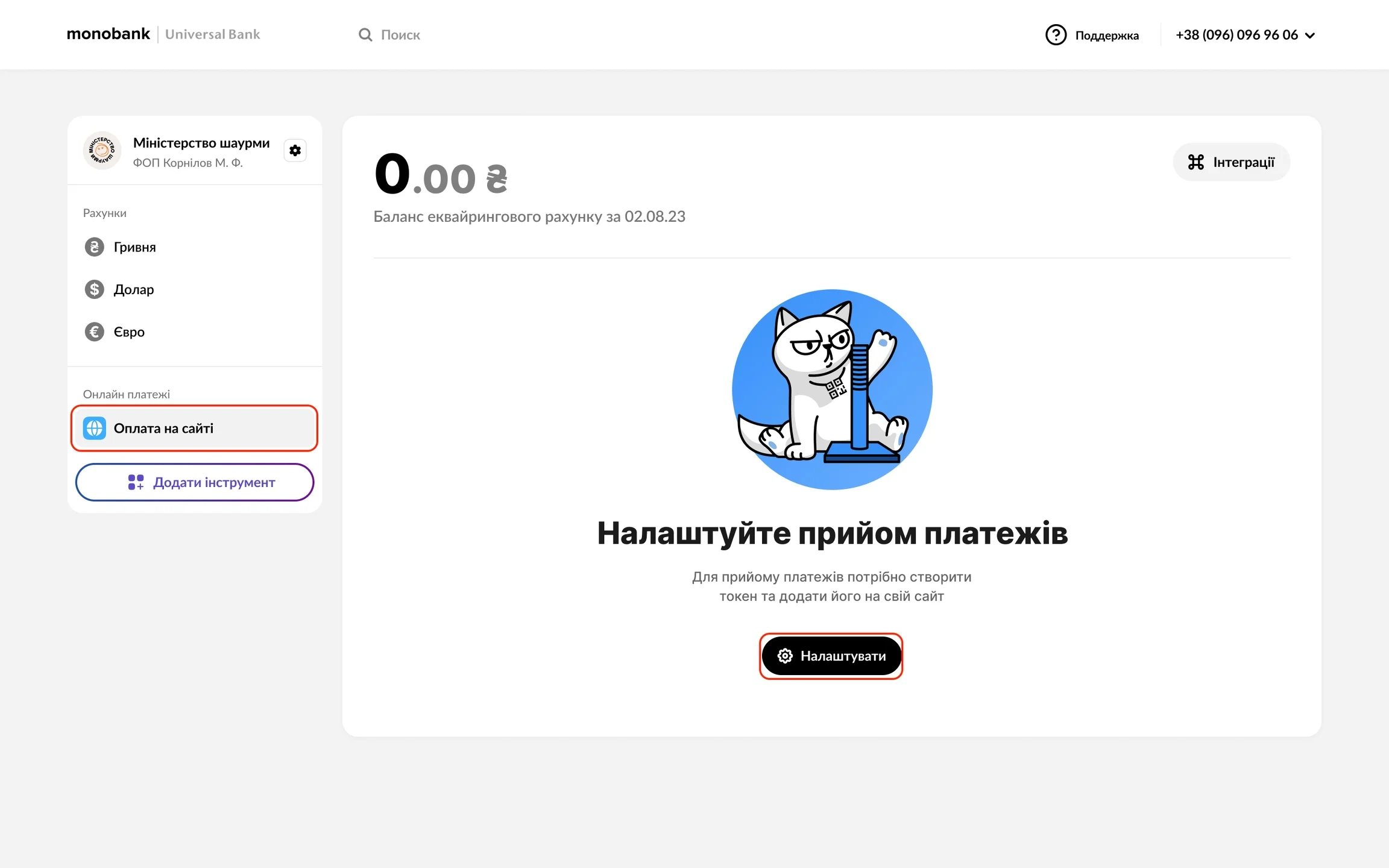
- You can now create a token
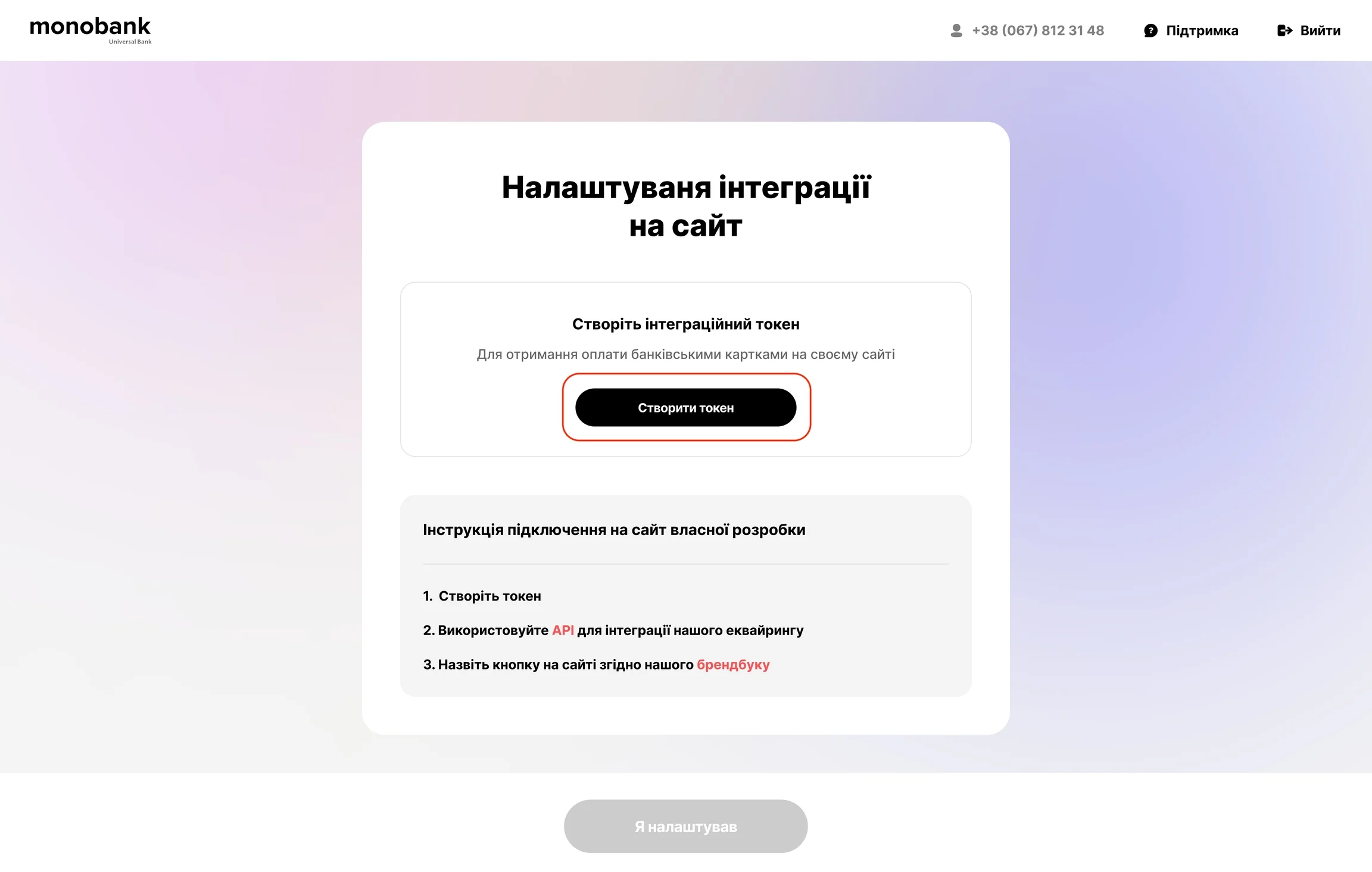
You then pass this token in the X-Token header for API requests.
Test environment
monobank provides an opportunity to work in a test environment: for this you need a test token, and the "card" data can be any valid (with a valid number according to the Luna algorithm) - financial authorization will not take place, but you will drive away the integration.
Integration architecture: what to store in the database
In order to control the integration (and not to understand later why "the money came, but the order was not paid"), I advise you to keep at least:payments / invoices
-
id(internal) -
order_id(or other business identifier) -
invoice_id(from monobank) -
amount(in minimum units, for example pennies) -
ccy(ISO 4217, default 980) -
status(created/processing/success/expired/failure, etc.) -
created_at,updated_at -
modified_date(with monobank - critical for proper order of webhooks) -
raw_last_payload(optional, but useful for debugging)
Why is modifiedDate important?
monobank warns that webhooks are not guaranteed one-by-one, and theoretically status=success can come before status=processing. Therefore, the "correct truth" is an event with a greater modifiedDate.
Also count retries: the acquiring backend makes up to 3 webhook POST attempts until it gets a 200 OK. This means: your webhook-handler should be idempotent (retrieving the same state should not break the system).
Invoice/create: key parameters and request example
Endpoint
Official account creation method:
POST https://api.monobank.ua/api/merchant/invoice/create
Headings
-
X-Token: -
optional:
X-Cms/X-Cms-Version— if you make a module for CMS (useful if the integration is packaged as a plugin).
Request body: minimum requirements
Minimal usually used:
-
amount— amount in minimum units (for hryvnia — kopecks) -
ccyis 980 by default -
merchantPaymInfo— “human” payment information:reference,destination,comment, basketbasketOrder(especially relevant for e-commerce) -
redirectUrl— where to return the client after completing the payment (success or error) -
webHookUrl— where monobank will send the status when changing (exceptexpired) -
validity— account lifetime in seconds (by default 24 hours) -
paymentType—debitorhold(if hold with further finalization is required)
In response you receive:
-
invoiceId -
pageUrl(link to payment)
Example on PHP 8.x (cURL)
$token = getenv('MONO_X_TOKEN');

$payload = [
'amount' => 19900,        // 199.00 UAH -> in kopecks
    'ccy'    => 980,
    'merchantPaymInfo' => [
        'reference'   => 'ORDER-100045',     // your unique reference
        'destination' => 'Payment for order #100045',
        'comment'     => 'Thank you for your purchase',
        'basketOrder' => [
            [
                'name'  => 'Підписка PRO, 1 місяць',
                'qty'   => 1,
                'sum'   => 19900,
                'total' => 19900,
                'unit'  => 'count.',
                'code'  => 'SUB-PRO-1M',
            ],
        ],
    ],
    'redirectUrl' => 'https://example.com/pay/return',
    'webHookUrl'  => 'https://example.com/pay/mono/webhook',
    'validity'    => 3600,
    'paymentType' => 'debit',
];

$ch = curl_init('https://api.monobank.ua/api/merchant/invoice/create');
curl_setopt_array($ch, [
    CURLOPT_POST           => true,
    CURLOPT_RETURNTRANSFER => true,
    CURLOPT_HTTPHEADER     => [
        'Content-Type: application/json',
        'X-Token: ' . $token,
    ],
    CURLOPT_POSTFIELDS     => json_encode($payload, JSON_UNESCAPED_UNICODE),
]);

$response = curl_exec($ch);
$httpCode = curl_getinfo($ch, CURLINFO_HTTP_CODE);
curl_close($ch);

if ($httpCode !== 200) {
    throw new RuntimeException("Monobank create invoice failed: HTTP $httpCode; body=$response");
}

$data = json_decode($response, true);

$invoiceId = $data['invoiceId'];
$pageUrl   = $data['pageUrl'];

// 1) store invoiceId in the DB along with order_id
// 2) redirect the customer to $pageUrl
header('Location: ' . $pageUrl, true, 302);
exit;
The semantics of the fields and the endpoint itself correspond to the documentation: sum in minimum units, redirectUrl, webHookUrl, and the response contains invoiceId and pageUrl.
User return: redirectUrl
After payment, the user will be redirected to your redirectUrl (GET). Pages are often made here:
-
“The payment is successful, we are processing the order”
-
“Payment failed, try again”
But it is fundamentally important: it is not necessary to confirm payment only on the basis of the redirect fact.
Redirect is a client UX that can be interrupted, replaced, fired, or the user can simply close the tab.
On the server side, it is necessary to process:
-
webhook with status (with signature verification), or
-
backup: invoice status request.
Webhook: event reception and signature verification (ECDSA, X-Sign)
How webhooks come
monobank sends POST to webHookUrl when status changes (except expired), request body identical to response of the "Account Status" method, and in the headers there is X-Sign — signature of the webhook body according to the ECDSA standard.
Two features are also important:
- up to 3 delivery attempts to
200 OK; - events may come not in chronological order, focus on
modifiedDate.
Receiving public key
In the example from the documentation, it is indicated that the public key for verification must be obtained through the endpoint https://api.monobank.ua/api/merchant/pubkey.
Practical PHP verification example
Below is an example adapted to a real webhook-handler. Logic:
-
read raw body;
-
take
X-Sign; -
verify via
openssl_verify; -
if ok - we parse JSON and update the status in the database taking into account
modifiedDate.
function getMonoPubKeyPem(string $token): string
{
    $ch = curl_init('https://api.monobank.ua/api/merchant/pubkey');
    curl_setopt_array($ch, [
        CURLOPT_RETURNTRANSFER => true,
        CURLOPT_HTTPHEADER     => ['X-Token: ' . $token],
    ]);
    $resp = curl_exec($ch);
    $code = curl_getinfo($ch, CURLINFO_HTTP_CODE);
    curl_close($ch);

    if ($code !== 200) {
        throw new RuntimeException("Cannot fetch monobank pubkey: HTTP $code; body=$resp");
    }

    // In the documentation, the examples work with the base64 representation of PEM.
    // Here, we assume that the API returns a base64 string that needs to be decoded.
    return base64_decode(trim($resp));
}

$token = getenv('MONO_X_TOKEN');

$rawBody = file_get_contents('php://input');
$xSign   = $_SERVER['HTTP_X_SIGN'] ?? '';

if ($xSign === '') {
    http_response_code(400);
    echo 'Missing X-Sign';
    exit;
}

$signature = base64_decode($xSign);
$pubKeyPem = getMonoPubKeyPem($token);

$pubKey = openssl_get_publickey($pubKeyPem);
if ($pubKey === false) {
    http_response_code(500);
    echo 'Invalid pubkey';
    exit;
}

// OPENSSL_ALGO_SHA256 — as in the documentation examples
$ok = openssl_verify($rawBody, $signature, $pubKey, OPENSSL_ALGO_SHA256);

if ($ok !== 1) {
    http_response_code(401);
    echo 'Invalid signature';
    exit;
}

$payload = json_decode($rawBody, true);
if (!is_array($payload) || empty($payload['invoiceId'])) {
    http_response_code(400);
    echo 'Bad payload';
    exit;
}

$invoiceId    = $payload['invoiceId'];
$status       = $payload['status'] ?? 'unknown';
$modifiedDate = $payload['modifiedDate'] ?? null;

// Next is your business logic:
// 1) find the record in the DB by invoiceId
// 2) compare modifiedDate (do not update with older payload)
// 3) if status=success -> mark the order as paid
// 4) return 200 OK so that monobank does not retrace the webhook
http_response_code(200);
echo 'OK';
Important details (they are from the documentation):
X-Sign— ECDSA signature of the webhook body;modifiedDateis the main criterion "which status is relevant";- the webhook body corresponds to the “invoice status” structure, which contains
invoiceId,status, amounts, error reasons, etc.
Status and response fields: what to actually use in business logic
The invoice status method returns a useful set of fields, including:
-
invoiceId -
status(egcreated) -
failureReasonanderrCode(when the payment failed) -
amount,ccy,finalAmount -
createdDate,modifiedDate -
reference,destination -
paymentInfo(masked card,rrn,tranId, etc. — useful for animals) -
cancelList, other objects
In the example from the documentation, these fields are directly visible in the response sample.
Practical recommendation:
for most e-commerce scenarios you use at least:
-
status -
invoiceId -
modifiedDate -
finalAmount(if partial write-offs/commissions/holds are possible for you)
And failureReason / errCode — to show the person an adequate message (“Insufficient funds”, “Incorrect CVV”, etc.) and not turn payment into “magic, that does not work".
Checking payment status (invoice/status) as "insurance"
Endpoint:
-
GET /api/merchant/invoice/status?invoiceId={invoiceId}with headerX-Token
monobank directly says: do not use this service as the main mechanism after the transaction; better than webhooks. But for the cases "the webhook did not arrive" or "there was downtime on the seller's side", this is the right tool for restoring consistency.
PHP example
$token = getenv('MONO_X_TOKEN');
$invoiceId = $_GET['invoiceId'];

$url = 'https://api.monobank.ua/api/merchant/invoice/status?invoiceId=' . urlencode($invoiceId);

$ch = curl_init($url);
curl_setopt_array($ch, [
    CURLOPT_RETURNTRANSFER => true,
    CURLOPT_HTTPHEADER     => ['X-Token: ' . $token],
]);

$response = curl_exec($ch);
$httpCode = curl_getinfo($ch, CURLINFO_HTTP_CODE);
curl_close($ch);

if ($httpCode !== 200) {
    throw new RuntimeException("Monobank status failed: HTTP $httpCode; body=$response");
}

$data = json_decode($response, true);

// Next: check data['status'], data['modifiedDate'], data['finalAmount'] and update the database
Ready modules and integrations: when it is better not to write code from scratch
If your site already works on a popular CMS/builder, sometimes the best solution is not to reinvent the wheel, but to provide ready-made integration.
Official page of ready-made integrations
monobank has a centralized page where ready-made integrations and payment modules are collected for various systems ("by clicking on the partner's logo, you can go to the setup instructions").
This is the “minimum custom” option: I inserted the token in the settings — and it works.
Example: WooCommerce / WordPress
There is official plugin for WordPress/WooCommerce (Monobank WP Payment Plugin), which is positioned as an official module for connecting online acquiring.
Example: OpenCart
The OpenCart ecosystem also has modules for MonoPay (including public module catalogs/forums).
When a module is the best choice
Choose a module if:
-
you need to “quick start payment” without custom logic;
-
you do not plan complex scenarios (holds, tokenization, split payments, your billing);
-
you want support for updates "within the CMS".
When API integration is required
Write your integration via API if:
-
you have a custom backend (Laravel/CI/Symfony/Node/Go, etc.) and atypical payment logic;
-
complex scenarios required (eg hold/finalization, tokenization, multi-products with own rules);
-
you want full control: own retries, reconciliations, event audit, anti-fraud logic.
Practical “done and forgotten” checklist: how to bring integration to production quality
-
Token store only in secrets/ENV (not in code, not in repository).
-
referencemake it unique on your side (egORDER-). It helps a lot in comparisons. -
Webhook-endpoint:
-
must respond quickly
200 OK; -
must be idempotent;
-
must verify
X-Sign.
-
-
Status update logic:
-
don't trust the order of arrival of events;
-
always compare
modifiedDateand do not overwrite the "new" status with the "old" one.
-
-
Do a reconciliation job (crown/queue): once every N minutes check "hanging" invoices via
invoice/status(only for those who have not had webhook). This is consistent with designating the status method as fallback. -
Before launching in prod:
-
run test environment with test token;
-
check that your URLs are accessible from the Internet and are not blocked by WAF/Cloudflare;
-
check that “success” really converts the order to “paid” only on the server (webhook/status), not “by redirect”.
-
MonoPay integration (plata by mono) fits well with the modern architecture "invoice → payment page → webhook → confirmation in the database", but the quality of the solution is determined by three things:
-
correct connection and token management in the business office;
-
correct handling of webhooks (signature +
modifiedDate+ idempotence); -
have a backup reconciliation mechanism via
invoice/statusfor rare desynchronizations.