Cron job in cPanel
Cron is a service scheduler in UNIX-like operating systems (it is also used on most hosting servers). Its task is simple: to automatically run the necessary commands or scripts at a given time. For example, make a backup copy of the database once a day and store it in a specified folder.
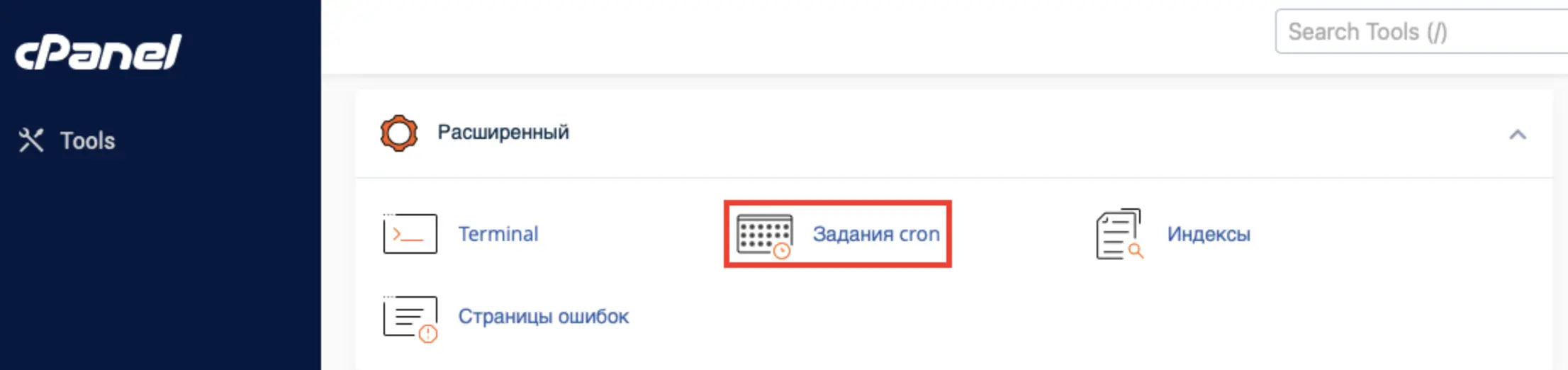
To configure Cron in cPanel, on the main page of the panel, open the section "Advanced → Cron Tasks".
In the window that opens, you will see several blocks. First, a field for email: if you want to receive notifications about the completion of the task, enter your address here.
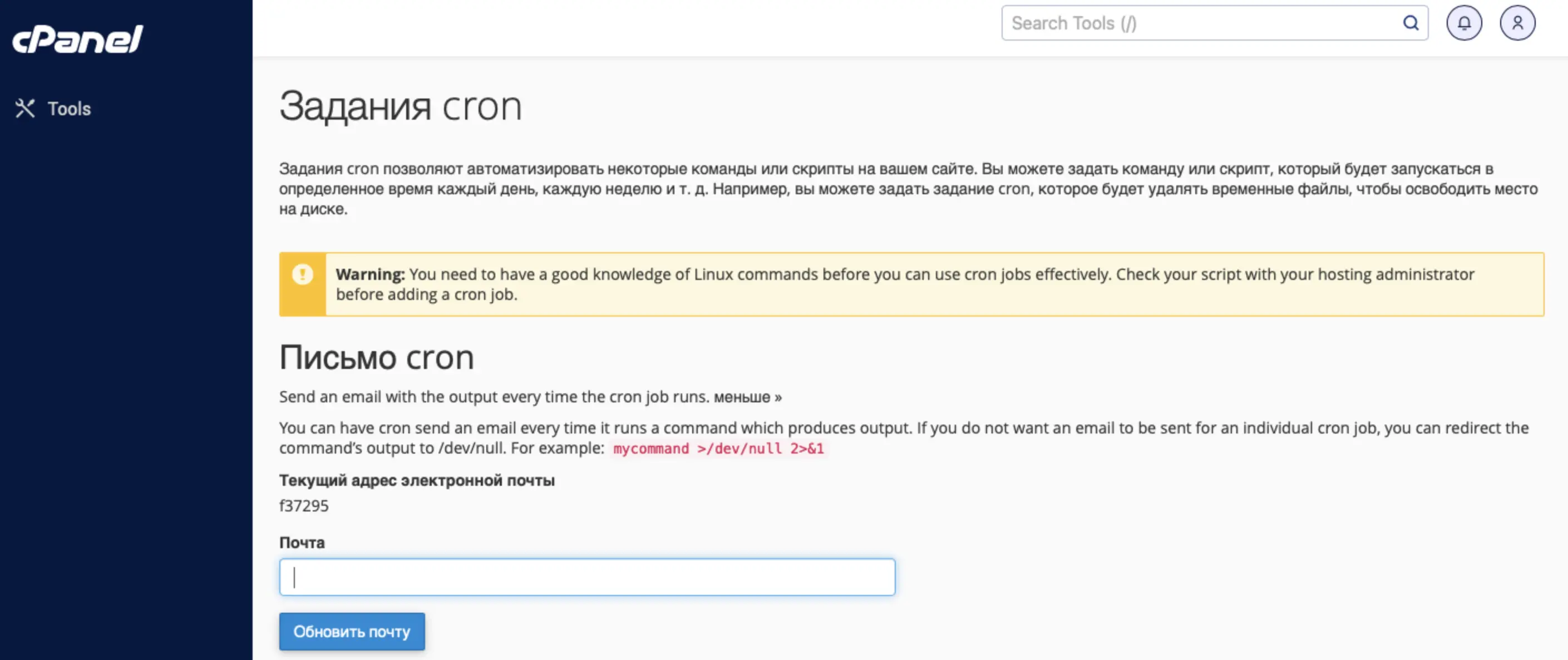
After each run of Cron, the system will send an email with the result of the script. Next is the block "Add a new scheduled task" - this is where you set the frequency and the command to be executed.
For example, if you want to run the script once a day, just select the appropriate schedule and insert the start command. We usually recommend setting such tasks at night time - then the overall load on the server is lower, and the site's operation is less affected by background processes.
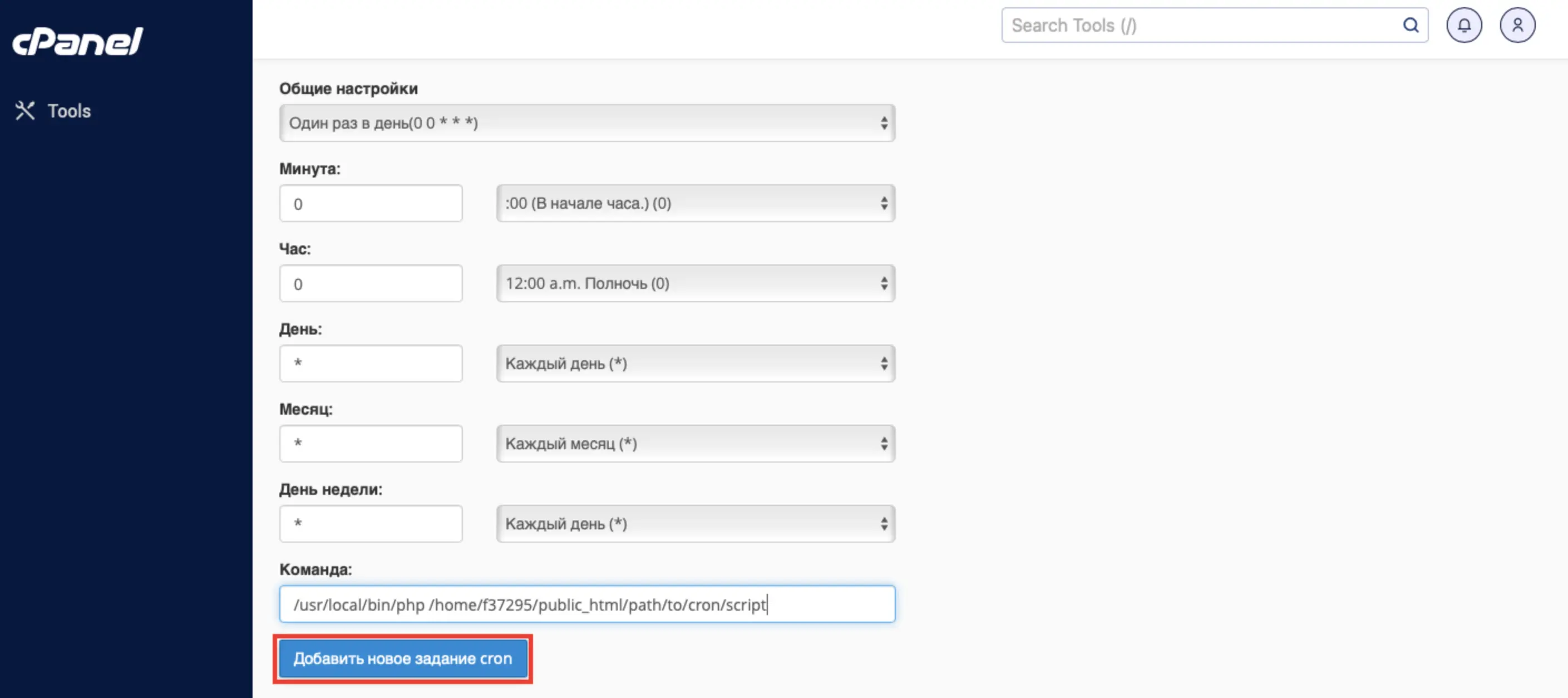
You can run scripts in different ways: both by referring to URL (conditionally "open link") and directly via a PHP command if your script is executed in the console.