Site creation
To create a new site, launch the "Site Creation Wizard " by clicking the "Create Site " button on the right side of the screen.
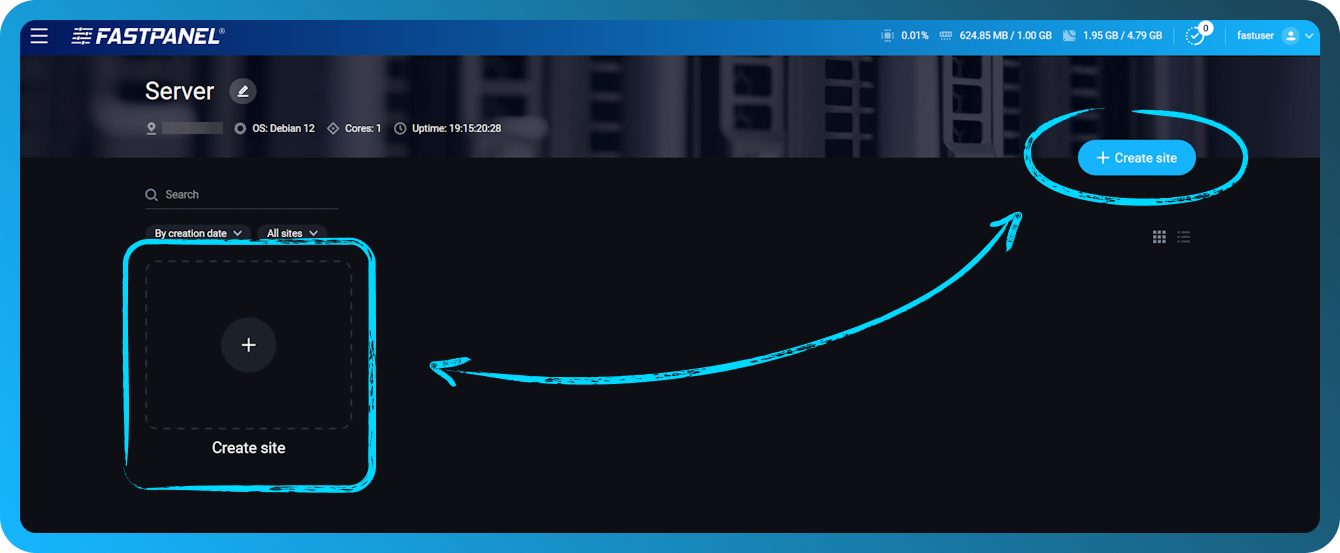
This will open the Site Builder. The whole process consists of three steps:
- Domain connection
- Backend and database settings
- Backup settings
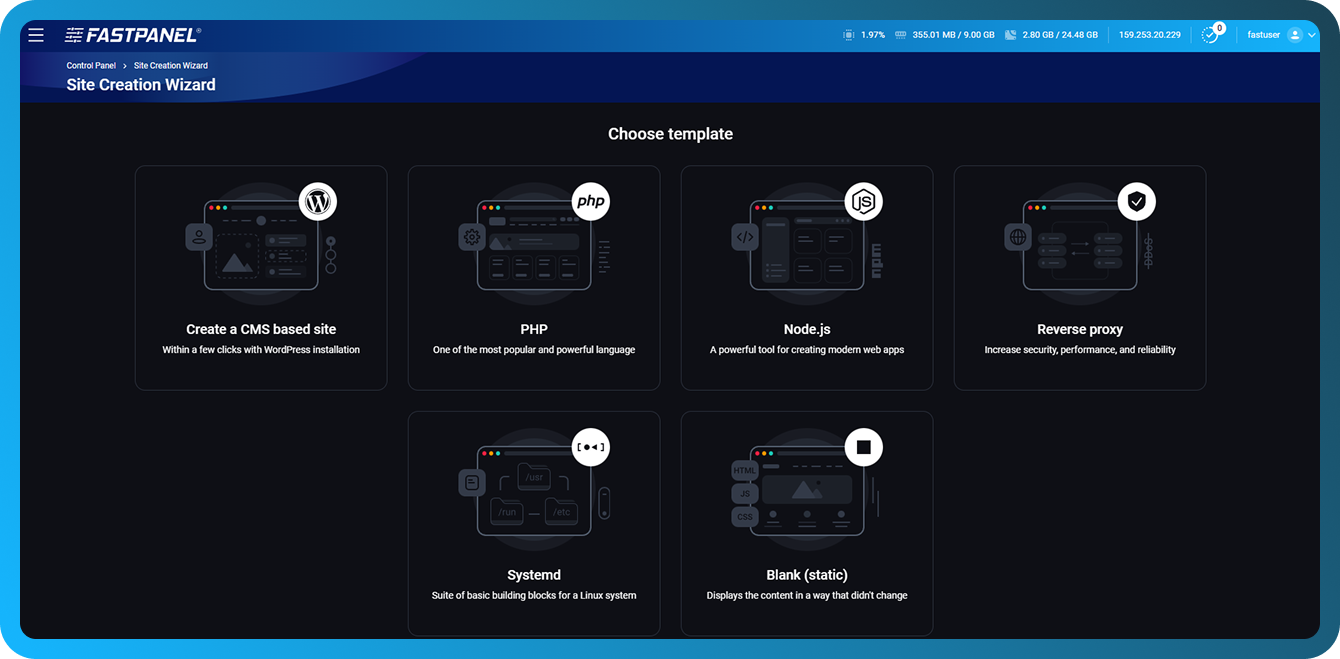
The site creation wizard offers the following options:
-
Create a CMS-based site - Automatically create a CMS-based site with the ability to install WordPress in just a few clicks
-
PHP - Create a website or application using PHP
-
Node.js - Deploy a modern web application built with Node.js and the current JavaScript stack
-
Reverse Proxy - Create a site that acts as a reverse proxy for another service
-
Systemd - Run websites and services managed via systemd modules as standalone server applications.
-
Blank (Static) - Create a static website that simply displays unchanging content (HTML, CSS, JS, images)
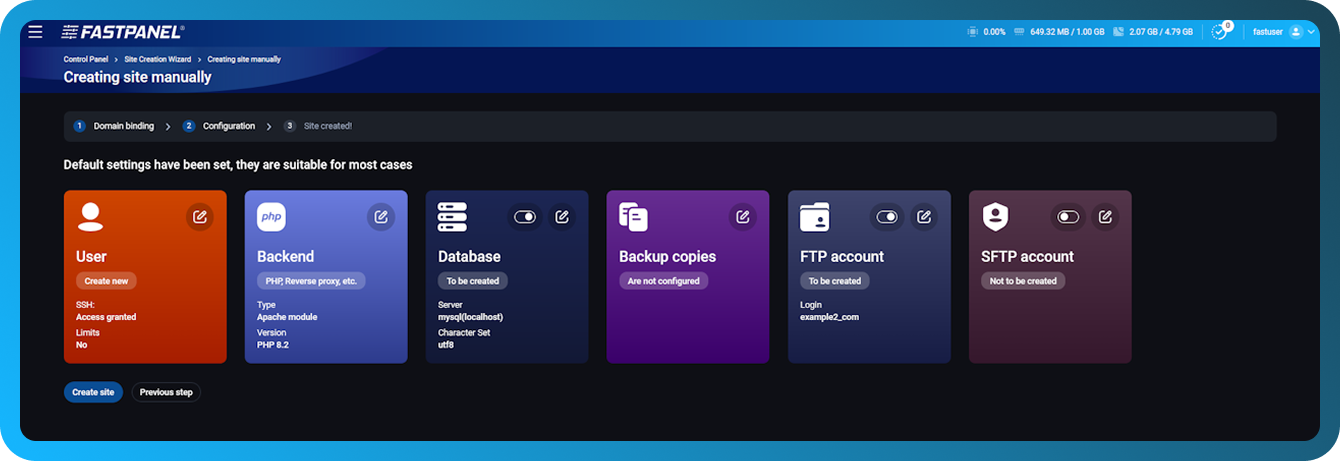
You can configure the following options:
- User credentials
- Server part settings
- Database Settings
- Backup plans
- FTP access
- SFTP access
Follow the instructions of the wizard and finish creating the site.
Be sure to save your database and FTP account credentials in a safe place.
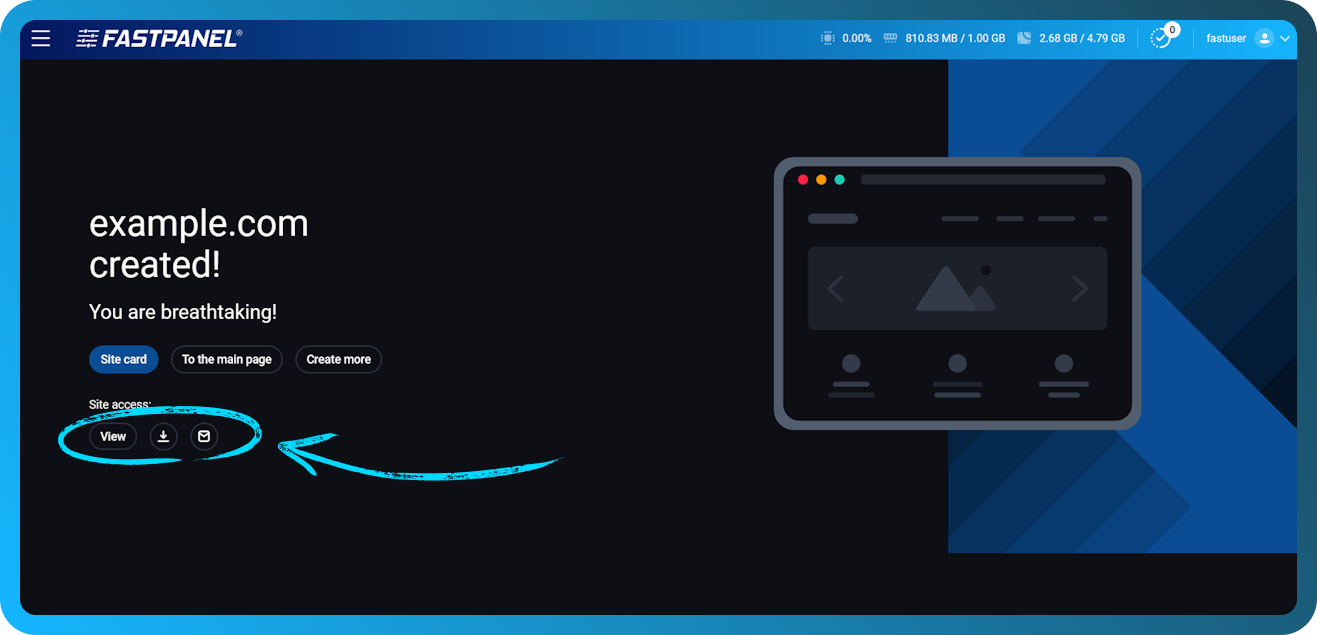
You can also « View », « Download » or « Submit » your site access data: