Configuring the processing of static content in the FastPanel panel
1321
In this section
FASTPANEL allows you to configure parameters for rendering static content by the server — for example, images, CSS files, videos and other files that do not require backend processing.
To control the processing of static files:
-
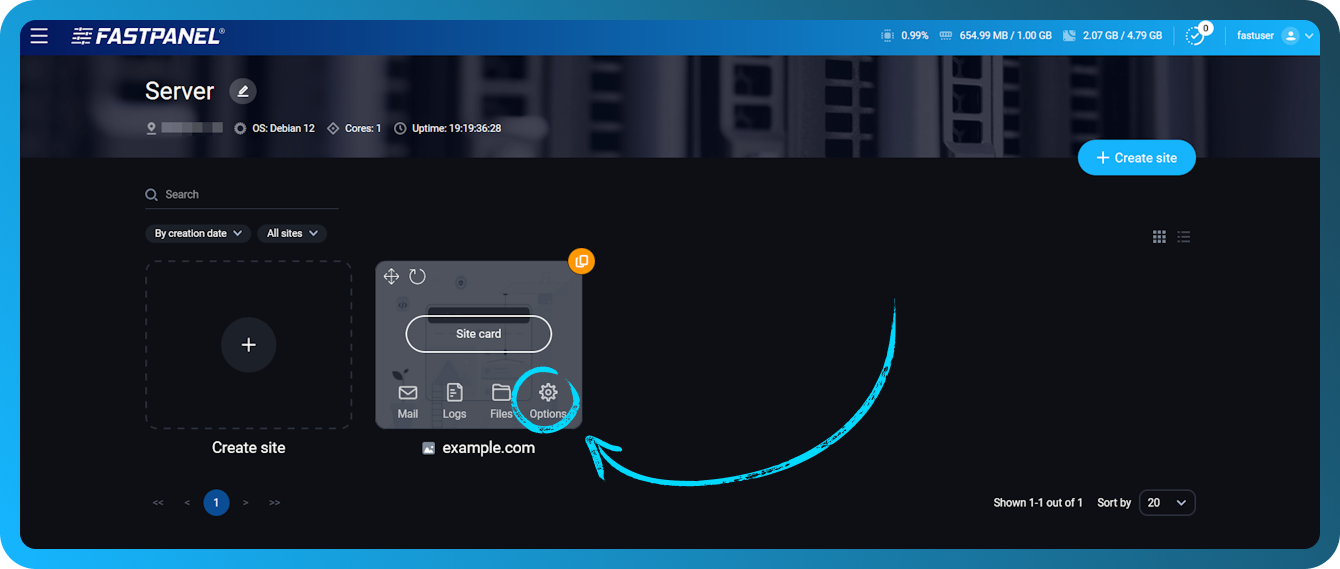
Open Site card
-
Go to the section “Settings”
-
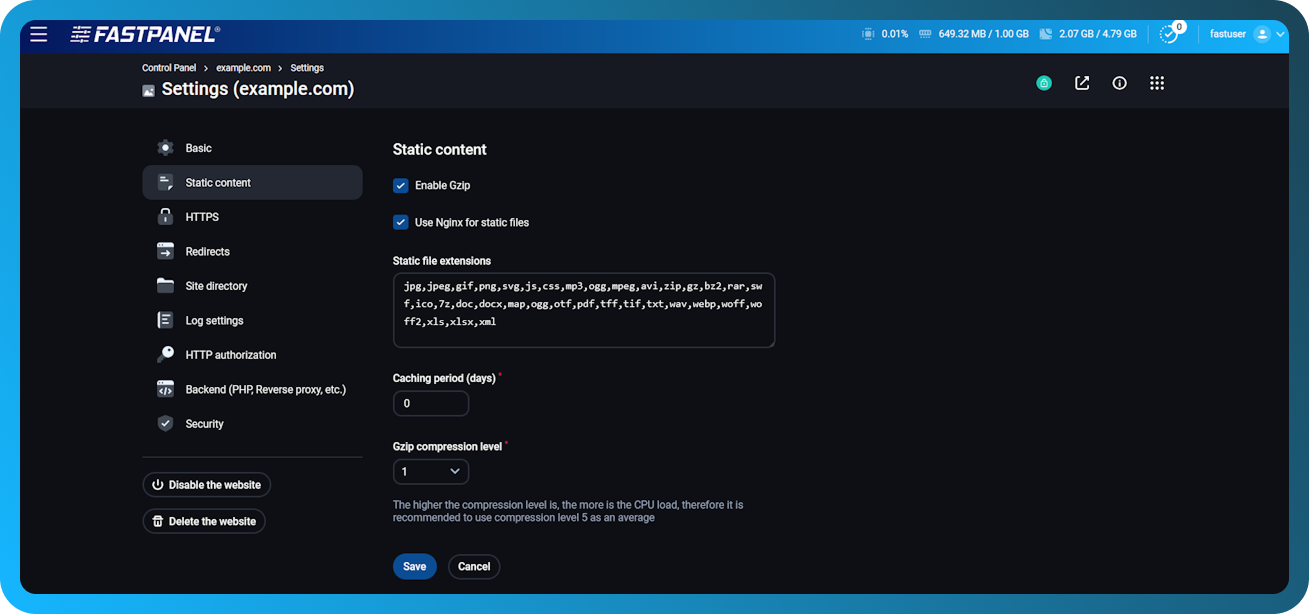
Open the menu “Static content”
In this menu you can configure how the web server will handle static content for the site. The following options are available:
-
Enable/disable compression (Gzip)
-
Gzip compression level (from 1 to 9), where 1 is the weakest compression, and 9 is the strongest
-
Static file caching time in days (0 — no caching)
-
List of file extensions that the web server should handle as static content
All question categories