FASTPANEL allows you to use alternative versions of PHP for each site separately. You can install and use any version of PHP starting with 5.3. You can apply any version of PHP to your website starting with PHP 5.3.
Open the tab of the website where you want to change the PHP and click on the menu "Settings".
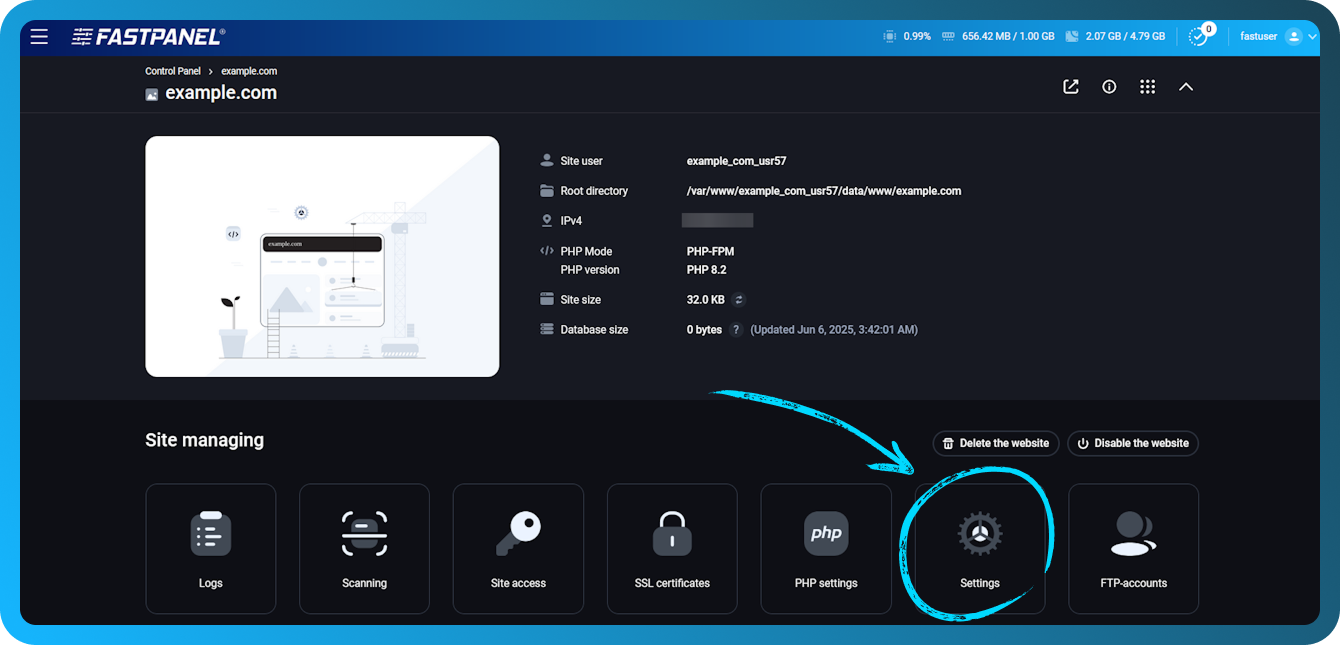
Follow these steps:
- Open submenu "PHP Settings "
- SelectFastCGIasPHP mode
- Select the required PHP version in the field"PHP version".
- Click the "Save " button.
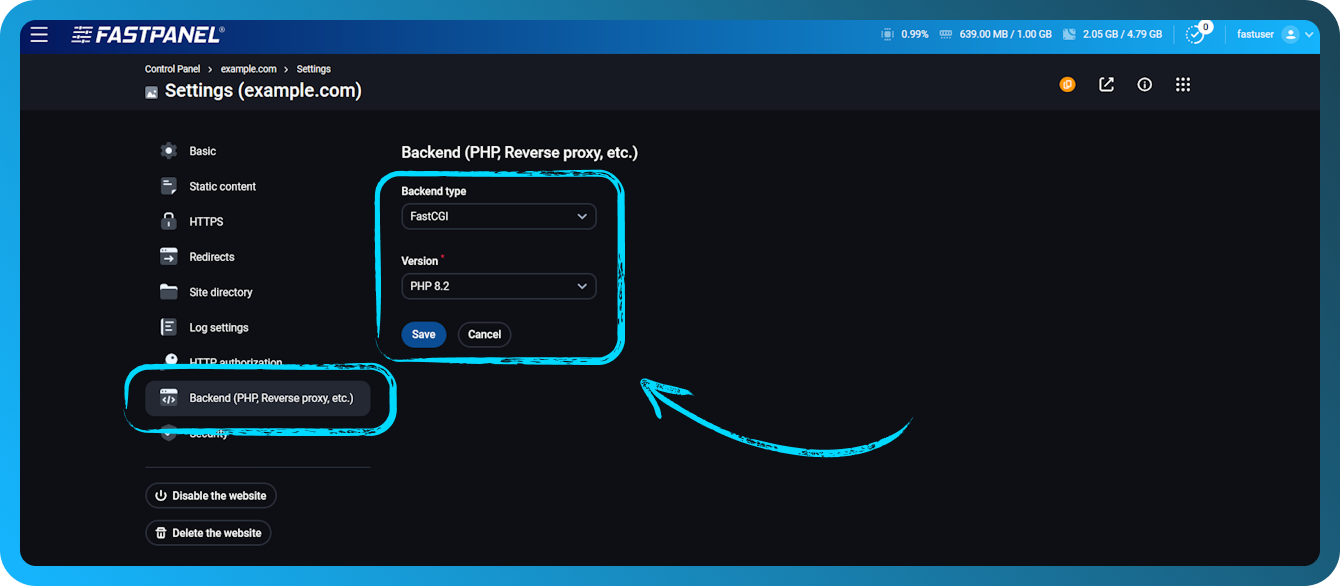
When the option "PHP version" becomes active, you can select the desired PHP version - in our example it is php74.
In addition to FastCGI, modes PHP-FPM or CGI are also available, but in most cases (about 95%) the optimal option will be FastCGI. You can read more about the differences between PHP modes in the relevant material.
To ensure that the correct version of PHP is used, create an info.php file in the site root with the following content:
After that, open it in a browser at an address like:
http://yourwebsite.com/info.php
If everything is configured correctly, you will see a technical information page that says PHP 7.4 is being used.
How to change PHP version (CLI) for a user
FASTPANEL allows you to set the PHP version in the command line separately for each user. This is useful when you need to run scripts via SSH with the usual php command, but with a different version than the default installed on the server.
Important: This setting affects only PHP in the CLI (command line) and tasks run via crontab. The PHP version selected for websites in the panel, while does not change.
To change the PHP CLI version for a user:
-
Open the menu "Users".
-
Select the desired user and click Edit User.
-
In the "PHP version (CLI)" field, select the desired option.
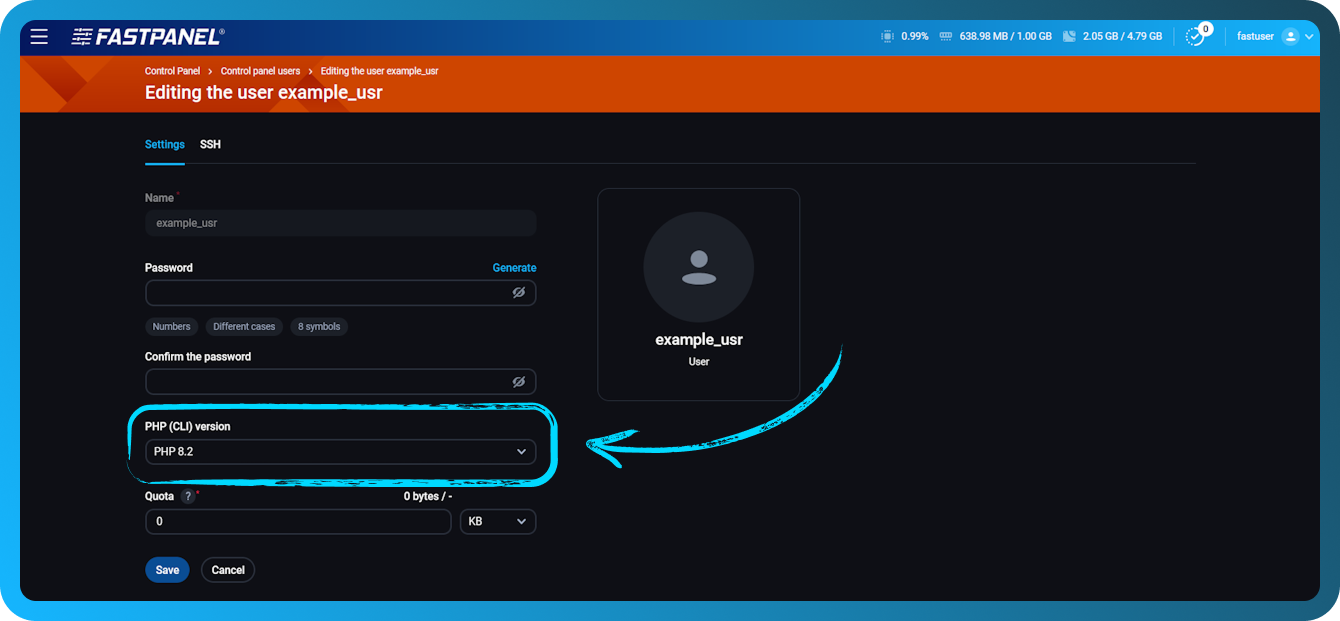
After the change, be sure to reconnect to the server via SSH. In already open SSH sessions, the PHP version will remain the previous version until the moment of reconnection.
How to use alternative versions of PHP in the command line (CLI)
Usually scripts in the CLI are started with the following command:
php /path/to/script.php
In this case, the main (CLI) version of PHP installed for the user or the default on the server will be used even if a different version is selected for the website in the panel.
How to use alternative versions in the scheduler
To run the script through an alternative version, change the php command to the full path to the alternative interpreter. In the case of PHP 7.4, this would be /opt/php74/bin/php, so the command would look like this:
/opt/php74/bin/php /path/to/script.php